Easily Access, Visualize & Correct STDF Data
QuickEdit gives you everything you need to quickly understand your STDF data without the need for expensive enterprise software.
- View and Edit header information (lotid, waferid, etc.) in STDF files
- Visualize parametric data in STDF files
- View results and other raw data in STDF files
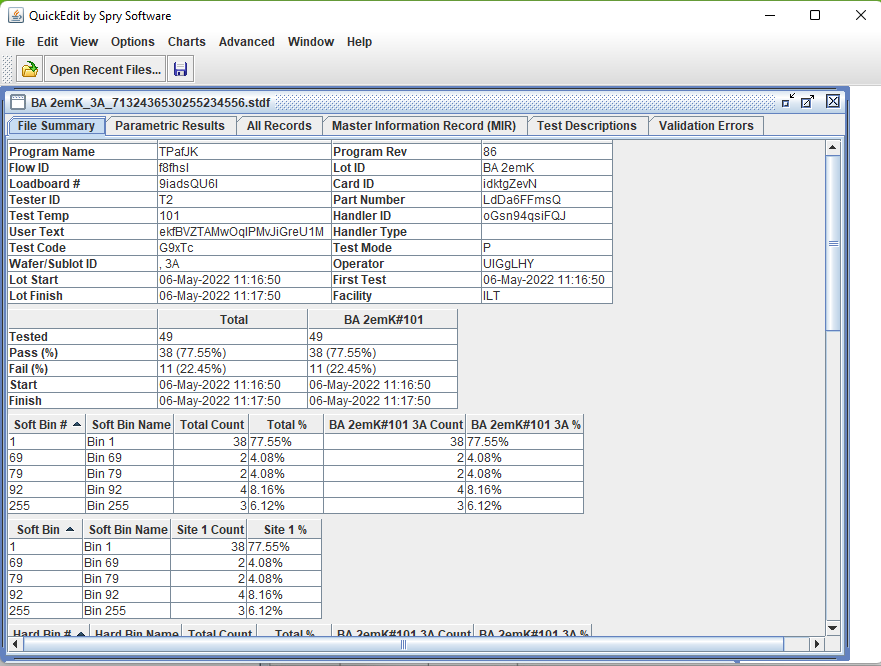
- One page summary of file contents, including bin counts and failing tests.
- Translate STDF to standard formats like xlsx, csv and the new TDTF
- Delete unwanted records from STDF files
- Identify and correct problems that cause files not to load in enterprise yield tools
QuickEdit Features
Take a look at some of QuickEdit’s most useful features.
View all contents of STDF files
View/edit all record types, view standardized lot summary report and extra tables showing each unit’s parametric test results from different perspectives.
STDF editing
Edit any record, allowing not only fixes to lotids and waferids, but also fixes to details like test names, limits, test conditions and anything else in STDF.
File exporting
CSV, Excel, JMP JSL (JMP scripting language), JSON, Tester Data Text Format (TDTF), HTML and custom formats
Streamlined analysis flows
Faster analysis using data scrubbing for product qualifications and process characterization.
Test condition characterization using DTR records
Just write DTR records with format COND:name=value,name2=value2,…. and turn on test condition option.
Merging of multiple STDF files
Combine final test files from multiple steps or fab wafer sort re-probe sessions into one file for product characterization or to create analysis groups.
Statistical summaries
Can be seen for a few or all tests, including failure percentages, Cpks, medians, alarms and quartiles.
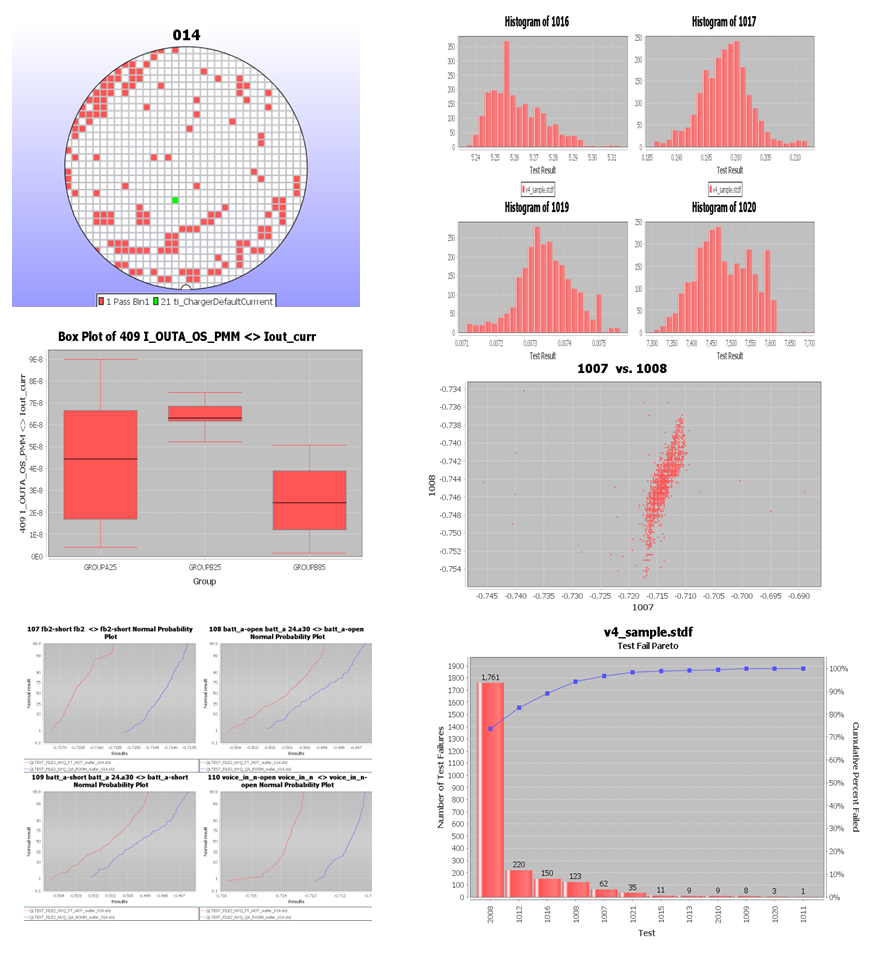
Powerful Analysis and Visualization tools
More flexible analysis and visualization than some enterprise yield tools. Use histograms, trend charts, scatter plots, box plots, wafer maps, bin and test fail paretos, with a robust set of configurations including outlier removal, up to three levels of grouping by all the variables you expect–lot,wafer,handler, program revision, many more, plus limits drawing, histogram bin selection, wafer map rotation and more. All graphs can be printed to PDF and PNG files.
Extended Capabilities
More tools such as reporting automation, data collection automation and data architecting are available with upgrade to QuickLoad-Central.
Ready To Get Started?
Platform Requirements
QuickEdit is available for Windows, MacOS, Linux and just about any platform that runs a standard version of Java. (See the FAQ for quick getting started instructions on non-Windows platforms.)
For a complete comparison of QuickEdit features with our other STDF tools, see our product comparison table.
The QuickEdit manual explains how to load STDF files, view them many different ways, edit the data, add new data, and save files as STDF, CSV, XLSX, JSL and HTML files. You can also see our FAQ for answers to common questions.
Start Your Free Trial
Interested? Try QuickEdit for 14 days and see how it helps you view and edit your STDF data.
Purchase QuickEdit
Selecting Buy Now allows you to purchase one or more licenses via credit card or PayPal. If you are interested in purchasing licenses but prefer to use a credit card without paying online, a purchase order or another payment mechanism, let us know by mailing sales@sprysoftware.net or Contacting Us. We are happy to accommodate any of those mechanisms. You can also contact us about volume license discounts.
Send us product questions, volume pricing questions and alternate payment mechanism questions.